 Performance
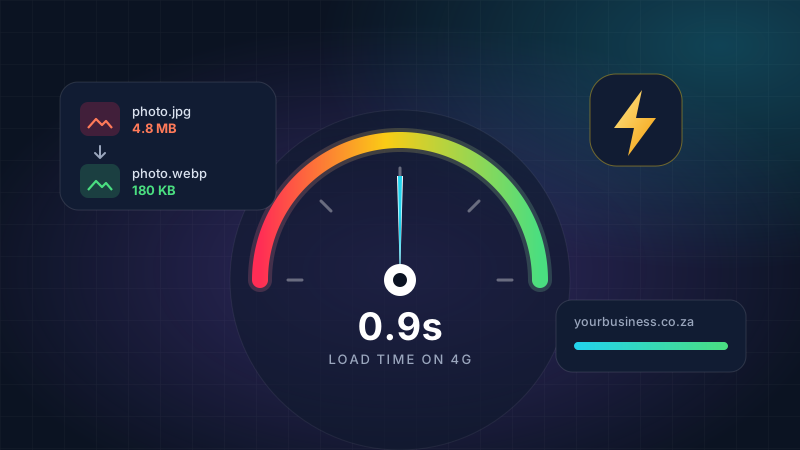
- Oversized images are the most common reason South African websites are slow on mobile data.
- Removing unused plugins, using good hosting with caching and dropping heavy sliders all help.
- Test with Google PageSpeed Insights on the mobile setting and on your own phone.
Open your website on your phone, switch off Wi-Fi and watch it load. If you find yourself waiting, so are your customers. And many of them won't wait. In South Africa, where a lot of people browse on prepaid mobile data, a slow site costs visitors twice: their time and their data.
How to test your speed
Go to Google's free PageSpeed Insights tool, paste in your website address and run the test. Look at the mobile score, not the desktop one. Anything in the red means there's real work to do. The report also lists the specific problems, which is a good starting point for whoever fixes it.
Testing on your own phone matters too. Try it on mobile data at different times of day, and ask a friend with an older phone to try it.
1. Huge images
This is the most common problem by far. A photo straight from a modern phone or camera can be several megabytes. Put ten of those on your homepage and you're asking visitors to download a small video before they see anything.
The fix: resize images to the size they're actually displayed at, compress them and use a modern format like WebP. Images below the first screen should load only when someone scrolls down to them, which is called lazy loading.
2. Too many plugins or scripts
On WordPress especially, it's easy to keep adding plugins: a slider, a popup, a chat widget, social feeds, three different analytics tools. Each one adds code that the phone has to download and run.
The fix: go through every plugin and script and ask whether it's earning its place. Remove anything you don't use. Replace heavy plugins with lighter alternatives.
3. Slow or distant hosting
Very cheap hosting often means your site shares a crowded server. Hosting on the other side of the world adds delay to every request.
The fix: choose a decent host with servers reasonably close to your visitors, or use a content delivery network (CDN) that stores copies of your site in many locations. Make sure caching is turned on.
4. Sliders and autoplay videos
Big homepage sliders were popular for years. They're heavy, they push your real message down, and research has long shown that few people click past the first slide. Autoplaying background videos are even heavier.
The fix: replace the slider with one strong image and a clear headline. If you want video, let people choose to play it.
5. Too many fonts
Every font style, such as bold or italic, is a separate download. Some themes load several font families in multiple weights by default.
The fix: stick to one or two font families and only the weights you use.
6. No caching
Without caching, the server builds every page from scratch for every visitor. With caching, it can send a ready-made copy almost instantly.
The fix: enable page caching on your host or with a good caching plugin, and set browser caching so returning visitors don't download everything again.
Why speed matters beyond patience
Speed affects more than whether people stay. Google uses page experience signals as part of its ranking, so a slow site can also be harder to find. And when people do arrive, a quick site simply feels more trustworthy.
Speed also matters on bad days. When the power goes off and home Wi-Fi drops, many people switch to mobile data. A light site keeps working for them.
Want us to take a look?
Speed tuning is part of every website we build, and we also fix slow existing sites. Send us your website address on WhatsApp and our remote team will run a check and tell you what's slowing it down, in plain English.

Written by the Web Design Durban team
We're a remote team of expert freelance designers, developers and marketers based in Pakistan, working with businesses in Durban and across South Africa. We've been building websites for more than 10 years and have delivered over 300 projects. Low-cost rates, direct WhatsApp contact and no lock-in.
See our services